Imagine Documentation
A powerful URL-based image transformation API. Resize, crop, rotate, apply effects, convert formats, and more — all through simple URL parameters.
Multiple Sources
Load images from URLs, Steam profiles, Gravatar, or Unsplash search.
URL-Based Transforms
Chain any number of transformations using simple URL path segments.
Powered by Sharp
High-performance image processing with libvips under the hood.
Video & GIF
Extract frames from MP4 videos and animated GIFs.
URL Structure
Every Imagine request follows a consistent URL pattern. Transformations are specified as path segments between the base URL and the image source.
- Transformations are separated by
/slashes. - Parameters within a transformation are separated by
,commas. - The image source is always the last segment of the URL.
- Transformations are applied sequentially from left to right.
Quick Start
Here are some quick examples to get you going:
Resize an image to 300×200
https://ugleh.com/imagine/c_scale,w_300,h_200/https://i.ugleh.com/nvPSs46q.png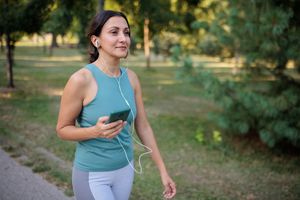
Convert to WebP format
https://ugleh.com/imagine/f_webp/c_scale,w_300,h_200/https://i.ugleh.com/nvPSs46q.pngFetch a Steam avatar and round the corners
https://ugleh.com/imagine/r_30/steam:76561198062142214Image Sources
Source URL (Direct)
Load any publicly accessible image by its full URL. This is the default loader — no prefix is required, though you can optionally use url:.
| Prefix | Required | Description |
|---|---|---|
url: or none | — | Directly pass an image URL as the last path segment |
Direct URL
https://ugleh.com/imagine/c_scale,w_400,h_267/https://i.ugleh.com/nvPSs46q.png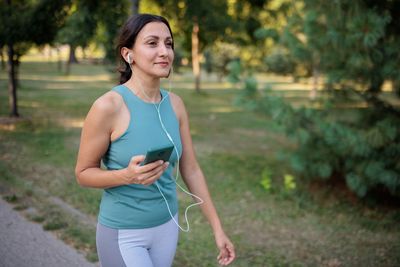
Source Steam Avatar
Fetch a Steam user's profile avatar by their Steam ID (64-bit). Returns the highest resolution avatar available.
| Prefix | Parameter | Description |
|---|---|---|
steam: | Steam ID 64 | The user's 64-bit Steam ID |
Steam avatar scaled to 200×200
https://ugleh.com/imagine/c_scale,w_200,h_200/steam:76561198062142214Source Gravatar
Load a Gravatar avatar by email address. The email is hashed with MD5 to resolve the Gravatar URL.
| Prefix | Parameter | Description |
|---|---|---|
gravatar: | Email address | The email associated with the Gravatar account |
Gravatar avatar with border
https://ugleh.com/imagine/b_4,co_blue/f_png/gravatar:test1@example.com
Source Unsplash
Search Unsplash for a photo by keyword and return the first result. Great for dynamic placeholder images.
| Prefix | Parameter | Description |
|---|---|---|
unsplash: | Search term | A keyword to search Unsplash for |
Search for "mountains" and scale to 400×267
https://ugleh.com/imagine/c_scale,w_400,h_267/unsplash:mountainsTransformations
Transform Scale
Resize an image to exact dimensions. Both width and height are required. The image is stretched to fill the specified dimensions (ignoring aspect ratio).
| Parameter | Type | Description |
|---|---|---|
c_scale | — | Activates the scale transformation |
w_ | Integer | Target width in pixels |
h_ | Integer | Target height in pixels |
Scale to 400×200 (stretches to fit)
https://ugleh.com/imagine/c_scale,w_400,h_200/https://i.ugleh.com/nvPSs46q.png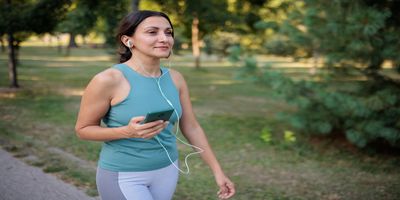
Scale a portrait photo to a square
https://ugleh.com/imagine/c_scale,w_200,h_200/https://i.ugleh.com/nv1DCALg.png
Transform Crop
Crop an image to specific dimensions. Supports gravity-based cropping (fill mode) or exact pixel extraction with x/y offsets.
| Parameter | Type | Default | Description |
|---|---|---|---|
c_crop | — | — | Activates the crop transformation |
w_ | Integer | — | Crop width in pixels |
h_ | Integer | — | Crop height in pixels |
g_ | String | center | Gravity/position: center, north, south, east, west, northeast, northwest, southeast, southwest, entropy, attention |
x_ | Integer | — | Left offset for exact extraction |
y_ | Integer | — | Top offset for exact extraction |
- Gravity crop: When only
w_andh_are provided (with optionalg_), the image is resized to cover the target area, cropping from the specified gravity position. - Exact extraction: When
x_andy_are also provided, a pixel-precise rectangle is extracted from the original image.
Gravity crop to 300×300 from center
https://ugleh.com/imagine/c_crop,w_300,h_300,g_center/https://i.ugleh.com/nvPSs46q.png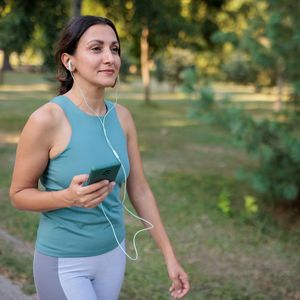
Exact extraction: 200×200 at position (100, 50)
https://ugleh.com/imagine/c_crop,w_200,h_200,x_100,y_50/https://i.ugleh.com/nvPSs46q.png
Attention-based crop (focuses on the most interesting region)
https://ugleh.com/imagine/c_crop,w_300,h_300,g_attention/https://i.ugleh.com/nvPSs46q.png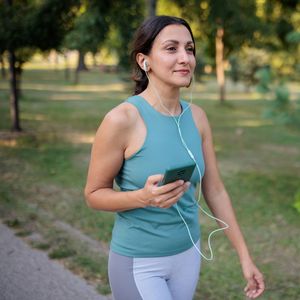
Transform Canvas
Place an image onto a new canvas of specified dimensions and background color. Useful for adding padding or positioning an image within a larger frame.
| Parameter | Type | Default | Description |
|---|---|---|---|
c_canvas | — | — | Activates the canvas transformation |
w_ | Integer | — | Canvas width in pixels |
h_ | Integer | — | Canvas height in pixels |
b_ | Hex color | #ffffff | Canvas background color (hex, e.g. b_ff0000) |
x_ | Integer | 0 | X offset to place the image on the canvas |
y_ | Integer | 0 | Y offset to place the image on the canvas |
Place image on a 500×400 red canvas at offset (50, 50)
https://ugleh.com/imagine/c_scale,w_300,h_200/c_canvas,w_500,h_400,b_ff0000,x_50,y_50/https://i.ugleh.com/nvCBi03M.jpg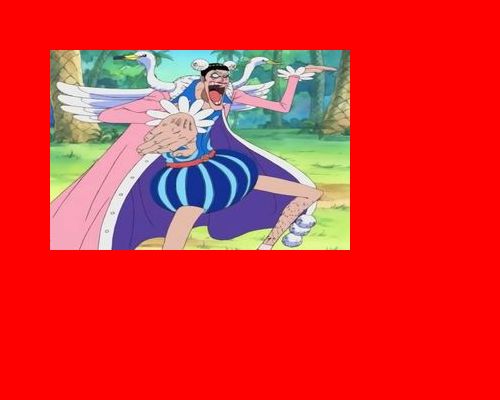
Transform Rotate & Flip
Rotate an image by a specific angle or flip it horizontally/vertically. Multiple operations can be combined with a . separator.
| Parameter | Type | Description |
|---|---|---|
a_<angle> | Number | Rotate by the given angle in degrees (e.g. a_90, a_45, a_-30) |
a_hflip | — | Flip the image horizontally |
a_vflip | — | Flip the image vertically |
a_portrait | — | Rotate to portrait orientation (90° clockwise if landscape) |
a_landscape | — | Rotate to landscape orientation (90° clockwise if portrait) |
a_portraitcc | — | Rotate to portrait (90° counter-clockwise if landscape) |
a_landscapecc | — | Rotate to landscape (90° counter-clockwise if portrait) |
. to chain multiple rotate/flip operations in a single segment. For example, a_90.hflip rotates 90° then flips horizontally.
Rotate 45 degrees
https://ugleh.com/imagine/a_45/c_scale,w_300,h_300/https://i.ugleh.com/nvCBi03M.jpg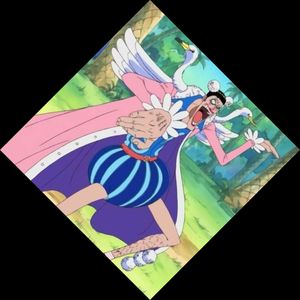
Horizontal flip
https://ugleh.com/imagine/a_hflip/c_scale,w_300,h_200/https://i.ugleh.com/nvPSs46q.png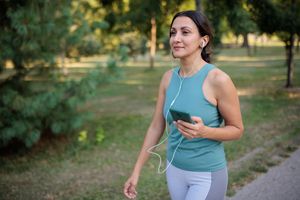
Transform Format Conversion
Convert the output image to a different format. If no format is specified, the output defaults to JPEG.
| Parameter | Output Format |
|---|---|
f_png | PNG (supports transparency) |
f_jpg / f_jpeg | JPEG |
f_webp | WebP |
f_tiff | TIFF |
f_png, f_jpg, f_webp, or f_tiff) is required.
Convert to PNG
https://ugleh.com/imagine/f_png/c_scale,w_300,h_200/https://i.ugleh.com/nvPSs46q.pngTransform Rounded Corners
Apply rounded corners to an image. The output will have transparent corners (use f_png or f_webp to preserve transparency).
| Parameter | Type | Default | Description |
|---|---|---|---|
r_<radius> | Integer | 10 | Corner radius in pixels |
Rounded corners with radius 30
https://ugleh.com/imagine/r_30/f_png/c_scale,w_300,h_200/https://i.ugleh.com/nvPSs46q.png
Circular image (radius = half the dimension)
https://ugleh.com/imagine/c_scale,w_200,h_200/r_100/f_png/https://i.ugleh.com/nv1DCALg.png
Transform Border
Add a border around an image. Supports custom color and optional rounded corners on the border itself.
| Parameter | Type | Default | Description |
|---|---|---|---|
b_<size> | Integer | 5 | Border thickness in pixels |
co_<color> | Color | black | Border color — hex code or named color (e.g. co_ff0000, co_red) |
br_<radius> | Integer | 0 | Border corner radius in pixels |
5px red border
https://ugleh.com/imagine/b_5,co_red/c_scale,w_300,h_200/https://i.ugleh.com/nvPSs46q.png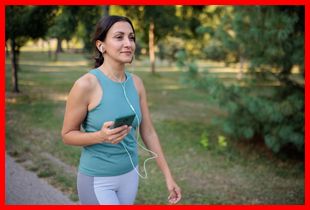
10px blue border with rounded corners
https://ugleh.com/imagine/b_10,co_blue,br_20/f_png/c_scale,w_300,h_200/https://i.ugleh.com/nvPSs46q.png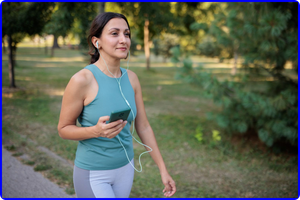
Transform Effects
Apply visual effects to your images. Effects use the e_ prefix.
| Effect | Parameters | Description |
|---|---|---|
e_blur |
e_blur:<strength> |
Gaussian blur. Strength defaults to 50 (maps to sigma=1). Higher = more blur. |
e_blackwhite |
e_blackwhite:<threshold> |
Convert to grayscale. Optional threshold (0–100) for binary black/white. |
e_blue |
e_blue:<level> |
Boost the blue channel. Level is a percentage (e.g. e_blue:50). |
e_tint |
e_tint,co_<color> |
Apply a tint color to the image. |
e_art |
e_art:<filter> |
Apply an art filter. Available filters: al_dente, athena, audrey, aurora, daguerre, eucalyptus, fes, frost, hairspray, hokusai, incognito, linen, peacock, primavera, quartz, red_rock, refresh, sizzle, sonnet, ukulele, zorro |
Blur effect (strength 100)
https://ugleh.com/imagine/e_blur:100/c_scale,w_300,h_200/https://i.ugleh.com/nvPSs46q.png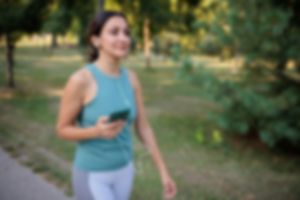
Black & white conversion
https://ugleh.com/imagine/e_blackwhite/c_scale,w_300,h_400/https://i.ugleh.com/nv1DCALg.png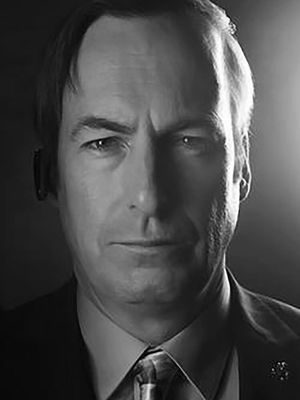
Blue channel boost
https://ugleh.com/imagine/e_blue:80/c_scale,w_300,h_300/https://i.ugleh.com/nvCBi03M.jpg
Advanced
Chaining Transformations
Transformations are applied sequentially from left to right. You can chain as many as you need, each separated by a / in the URL path.
Chain: scale → crop → rounded corners → border → format
https://ugleh.com/imagine/c_scale,w_400,h_400/c_crop,w_300,h_300,g_center/r_20/b_4,co_navy/f_png/https://i.ugleh.com/nvPSs46q.png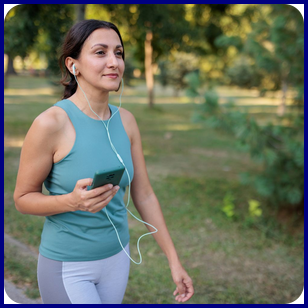
Chain: blur background → scale → rotate
https://ugleh.com/imagine/e_blur:150/c_scale,w_300,h_200/a_15/https://i.ugleh.com/nvPSs46q.png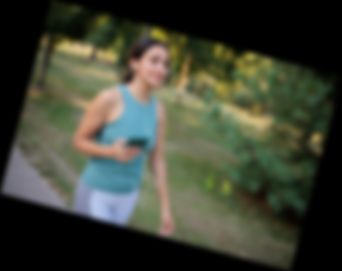
Video & GIF Frame Extraction
Imagine can extract individual frames from MP4 videos and animated GIFs. Use the fr_ parameter to specify the frame number (0-based).
| Parameter | Type | Default | Description |
|---|---|---|---|
fr_<n> | Integer | 0 | Frame number to extract (0-based index) |
- An explicit output format (
f_png,f_jpg,f_webp, orf_tiff) is required for MP4 and GIF sources. - MP4 frame extraction requires
ffmpegto be installed on the server. - If
fr_is not specified, frame 0 (the first frame) is used.
Syntax
https://ugleh.com/imagine/fr_5/f_png/c_scale,w_400,h_300/https://example.com/video.mp4Caching
By default, standard HTTP caching headers are used. You can disable caching by adding no-cache as a path segment.
Disable caching
https://ugleh.com/imagine/no-cache/c_scale,w_300,h_200/https://i.ugleh.com/nvPSs46q.pngno-cache is present, the following headers are set:
Cache-Control: no-cache, no-store, must-revalidatePragma: no-cacheExpires: 0